Compatibility notice

Apple Silicon, macOS, and your desktop software

What Apple's move away from Intel-based apps means for your desktop software — why the alert appears, what actually changes and when, and what (if anything) you need to do.

The short version

If your AlphaCorr desktop software runs on your Mac today, it keeps running on that Mac. Nothing is being switched off, and there is nothing you need to do this week.

Some customers are seeing an alert from Apple about Intel-based apps. It is a real notice about a real change, but it is a change with a long runway and a clear answer — and for most of our customers the answer is "nothing to do."

Apple does not force an existing Mac onto a future version of macOS. If your AlphaCorr desktop software works on your machine now, that does not change because a new macOS exists.

The genuine planning question is narrower than the alert makes it sound: it concerns a new Mac purchased in late 2027 or later. And v14 — which is close — resolves it well before then.

Check your exact setup

Rather than read a compatibility table and work out which row is yours, tell us your machine and we will tell you exactly where you stand.

Hardware and macOS data read from Apple's own compatibility articles on 2026-08-13; each model's original macOS from Apple's technical-specification records on 2026-08-16; product support from the published product matrix on 2026-08-14. Apple's note on Intel-based apps ↗

The Apple alert, in plain terms

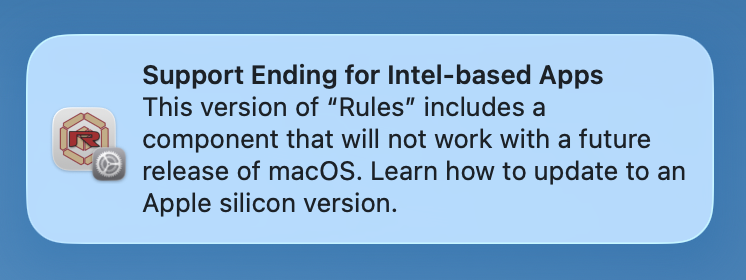
The message is titled “Support Ending for Intel-based Apps” and reads much like this:

Apple macOS alert titled Support Ending for Intel-based Apps, warning that this version of Graphite SE includes a component that will not work with a future release of macOS.
Apple's alert as it appears for Graphite SE. The same alert appears for any application that uses Apple's Rosetta translation, including the AlphaCorr desktop products, which are built on the Graphite engine.

What it is actually telling you: the app uses Rosetta, Apple's translation layer that lets software built for Intel Macs run on Apple Silicon Macs. Apple is winding Rosetta down. The alert is about Rosetta — it is not a fault in your AlphaCorr desktop software, and it does not mean the software has stopped working.

Why you may be seeing this on a Mac it may never affect

The alert is triggered by the app, not by your Mac. macOS shows it for apps that need Rosetta — on every Apple Silicon Mac, regardless of that Mac's own future.

So it appears on machines the change may never actually reach. Apple has not published which Macs will be able to install the macOS release where Rosetta finally goes away. If your Mac is not offered that release, the change simply never arrives for you — but you will still have seen the alert.

It also cannot appear on an Intel Mac at all. Rosetta exists only on Apple Silicon. On an Intel Mac, your AlphaCorr desktop software runs natively and none of this applies.

What actually changes, and when

Three dates, and they mean very different things. Only the last one involves anything stopping.

Release When Rosetta What it means for you
macOS 26 Tahoe Now Available. macOS 26.4 and later show an alert when you open an app that needs it. Nothing is broken. This is the last macOS that supports Intel Macs.
macOS 27 Golden Gate Expected fall 2026 Still available — but upgrading REMOVES it. It has to be reinstalled on demand. Apple Silicon only; no Intel Mac can install it. An app that needs Rosetta 2 will not launch until Rosetta 2 is reinstalled — that is not the app failing.
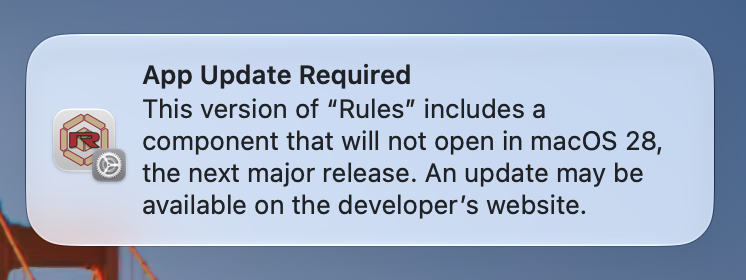
macOS 28 Expected fall 2027 Removed for general use. A limited subset remains for Linux virtual machines and some older games. Apps that need Rosetta 2 stop running. This is the date the Apple alert is really about.

One thing worth knowing before macOS 27

Upgrading to macOS 27 Golden Gate removes Rosetta from the Mac. It can be reinstalled on demand, but it does not come back on its own. If your AlphaCorr desktop software does not open right after that upgrade, that is why — and reinstalling Rosetta is the entire fix. We would rather you hear it here than conclude the software has died.

Apple's own summary of Rosetta and Intel-based apps: support.apple.com ↗

While you are here: which macOS still gets security updates

This is separate from anything about our software, and for some customers it matters more. Apple issues security updates for the current macOS and the two before it. As of 2026-08-06 that means:

  • macOS 26 Tahoe — still receiving security updates
  • macOS 15 Sequoia — still receiving security updates
  • macOS 14 Sonoma — still receiving security updates

macOS 13 Ventura and everything older no longer receive security updates. If your Mac can run one of the three above, that update is free and worth making on its own merits. If it cannot, that is worth knowing when you decide how long to keep the machine in service — the checker above tells you which case you are in.

Apple publishes its security releases here ↗. Expect this list to shift when macOS 27 ships.

v14 is the answer — and it is close

Rules v14, SteelRules v14 and Dieline Genius 2D Desktop v14 — the whole desktop line converges on v14, the same number as the Graphite engine underneath — do not use Rosetta at all. When they land, the entire question above goes away for everyone it reaches.

Two separate things decide whether it reaches a given Mac, and it is worth keeping them apart, because they have very different answers:

1. The Mac itself

Every Apple Silicon Mac ever made — every M-series machine from 2020 onward — can run it. If you are on Apple Silicon, your hardware is not in question. Most Intel Macs from around 2015 onward are fine too, along with some 2013–2014 desktops. Older Intel Macs are the exception, and they are covered in the next section. The checker above answers this exactly, by model.

2. The macOS it is running

v14 requires macOS 12 Monterey or later. Today's release goes back further than that, so if you are on macOS 10.15 Catalina or macOS 11 Big Sur you will need a macOS update before moving up. On any Apple Silicon Mac, and on any Intel Mac that can reach Monterey, that update is free from Apple whenever you want it.

Active subscriptions transition to v14 at no additional charge.

And if you need an earlier release instead, active subscribers can have one on request. Just ask; we would rather you be on the release that fits your machine than on the newest one.

Older Intel Macs — the one real gotcha, and it is a mild one

Older Intel Macs — broadly 2012 to 2014 — cannot install macOS 12 Monterey. Apple set that limit, and no update changes it, so v14 will not reach those machines.

Nothing stops working. Those Macs keep running today's release for as long as you want to run it.

It is worth being precise about why this group is in the calmest position on this page, not the worst: Rosetta only ever existed on Apple Silicon. On an Intel Mac, your AlphaCorr desktop software runs natively. None of Apple's Rosetta milestones — not macOS 27, not macOS 28 — apply to that machine at all. The only thing an older Intel Mac misses out on is the upgrade, and if you move to a newer Mac later, it is there waiting.

Not sure which category your Mac falls into? The checker at the top of this page answers it exactly, by model.

If you would like to move to a newer Mac anyway

Worth knowing, because customers are often surprised: a used Mac that clears the bar comfortably can be had for a very reasonable price. Any Apple Silicon Mac — the M1 models start in 2020 — is far above v14's requirement, and the used market for them is healthy.

Moving your work across is genuinely easy. Apple's Migration Assistant copies your files, applications, accounts and settings from the old Mac to the new one. It works over Wi-Fi with both Macs switched on and near each other, or faster over a direct Thunderbolt or Ethernet cable between the two. Apple's own walkthrough is here ↗.

One thing to expect if you do this: your current installation comes across as it is, so on an Apple Silicon Mac it will run under Rosetta until you move to v14 — which is the point at which all of this stops being something you have to think about.

Ashlar-Vellum Xenon — check which build you are on

Current Xenon v12 builds — the 200 series and later, currently 1204.219 — are native Apple Silicon applications and are unaffected by everything above. Early v12 builds are Intel-only and do use Rosetta, so if you are on one, this page applies to you too. Your subscription already includes the current build at no additional charge; ask us and we will get you there.

If your Mac cannot run macOS 12 Monterey, build 1204.98 is the one to use — it runs from macOS 10.14 Mojave onwards. It has no Parasolid import, which the current build does have.

Xenon is an Ashlar-Vellum product that AlphaCorr resells, so the full build-by-build detail lives with them: Xenon on Vellum Workshop →

Folding Genius 3D AI Plug-in and Dieline Genius 3D AI Plug-in are coming soon. They run inside Adobe Illustrator and follow Illustrator 2026's own system requirements — Illustrator is a native application on both Apple Silicon and Windows, so Rosetta is not part of that picture either.

We have been through Apple transitions before

This is not the first major Apple platform shift this software has navigated. The Graphite engine underneath these products has come through:

  • 1990s: Motorola 68000-series to PowerPC.
  • 2000s: PowerPC to Intel.
  • 2010s: the end of 32-bit Mac application support.
  • Today: Intel to Apple Silicon.

Each one needed care, planning and engineering judgement. Customers depend on these tools for real work and long-lived design data, which is why we treat a transition like this as a planning matter with a clear answer — not an emergency.

What to do, depending on where you are

Using your AlphaCorr desktop software today, and it works

Carry on. Nothing to do.

Thinking about a macOS upgrade

Check your combination in the checker above first — it will tell you whether your macOS is above or below what you need.

Buying a new Mac in late 2027 or later

Talk to us before you install. By then v14 is the release you will want, and we will make sure you have it.

On an Intel Mac from 2016 or earlier

Nothing to do, and nothing to worry about. Your setup is unaffected by every date on this page.

We will keep this page updated

Apple's transition is still unfolding and some details will get clearer. As they do, this page gets a new revision — and the older revision stays readable at its own permanent link, so you can always see what we said and when.

Questions?

If you have a question about your installation, a Mac you are thinking of buying, or which release fits your machine, talk to us. We would rather answer a question early than have you plan around a guess.

AlphaCorr, LLC · 800 862-0795

Revision r1 · published 2026-08-13 · current.
Initial publication — the Apple alert explained, the three-release timeline (including the Rosetta removal on upgrade to macOS 27), the next release as the fix, and the hardware-vs-macOS split that decides who it reaches.

Permanent link to this revision: /software/apple-silicon/r1